

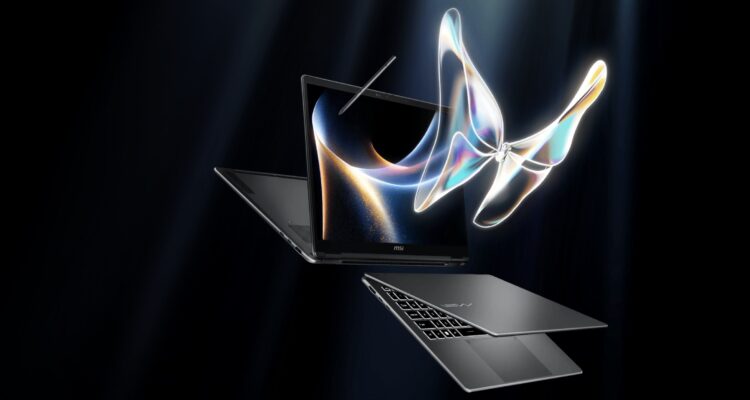
The MSI Prestige line of laptops has always straddled the line between creator-focused laptops and business-focused ultrabooks. Their latest 14-inch model, the Prestige 14 Flip AI+ does perhaps a better job of bouncing between both sides of that line than any other laptop out there.
We talk about being a jack of all trades but a master of none, and while it would be easy to say that this machine isn’t a master of any one thing, it’s really good at a lot of things. Somehow, MSI has managed to put together a laptop that is performant enough for gamers, slim and light enough for travelling professionals, and will get the creative crowd going with its gorgeous display and convertibility.
On the business ultrabook side of things, it’s not screaming for attention, and we’re looking at the usual suspects here: minimalist aluminum chassis, clean lines, and a wide assortment of ports: two USB-C (Thunderbolt 4), two USB-A, an HDMI port, and 3.5mm headphone jack. The machine is barely thicker than its USB-A ports, and feels comfortable to carry.
The biggest visual highlight is undoubtedly the namesake 14-inch OLED display. It’s becoming tougher these days to justify a MacBook Pro’s lack of OLED technology for such a creator-targeted machine. The Prestige 14 Flip’s display tops out its refresh rate at 60Hz, so this isn’t going to be for the twitch-fast gaming you’re looking for, but just the nature of being OLED puts it heads and shoulders above probably 80% of other laptop displays out there; Blacks are genuinely black, colours pop without looking oversaturated, and media consumption feels fantastic across the board. Whether you’re editing photos, watching Netflix, or simply browsing the web, the OLED panel gives the Prestige 14 Flip AI+ a distinctly premium feel.
The display also has another trick up its sleeve, and it may be obvious from the Prestige 14 Flip’s name: this display, well, flips. Keep pushing the hinge until it wraps the display around the back of the device, and you’ve got a tablet computer that makes creativity a much simpler endeavour. I’m not an artist, so it’s not something I dove much into, but it’s easy to see the appeal for those who would use it.
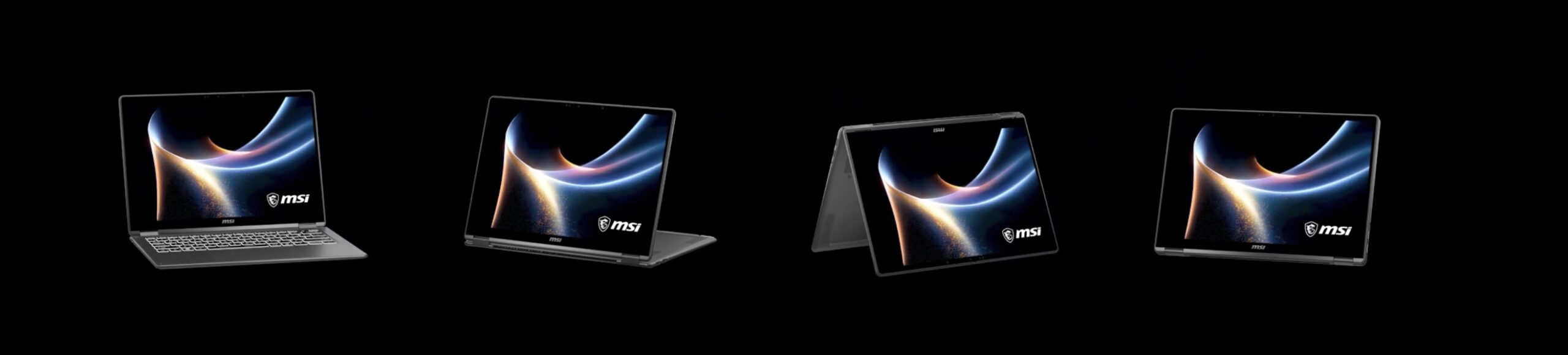
The hinge mechanism is equally solid, letting the device smoothly transition between laptop, presentation, and tablet modes without feeling flimsy or loose. For those interested in a stylus (read: not me!), there’s one that tucks into the underside of the machine. It’s a bit awkward and doesn’t sit well unless you flip the entire machine over and really take care in placing it. More of a pain than it’s worth, though I suppose during use, it’s just fine.
Naturally, a pretty screen only goes so far if the hardware underneath can’t keep up. Thankfully, Intel’s Core Ultra X7 358H processor provides more than enough performance for the kind of workloads this system is clearly targeting. Zero slowdowns during basic or heavy productivity tasks, multitasking is smooth, and creative applications like Photoshop run more than comfortably alongside dozens of browser tabs. Intel Arc integrated graphics doesn’t exactly give the machine an edge over discrete GPUs, but for a machine as powerful as it already is at this weight and size, the tradeoff makes a lot of sense.
And while this isn’t meant to be a gaming machine, Intel’s Arc graphics are definitely not holding you back. For a convertible productivity laptop, the graphical performance here is genuinely respectable. With a 16MB L2 cache feeding the Arc B390 chipset, XeSS Multi-Frame Generation creates up to 3 AI-interpolated frames between consecutive rendered frames, lightening the load and filling in for a discrete GPU masterfully.
Somehow, this laptop manages to last nearly two full days on a single charge. Getting 16 hours of usage from a laptop sounds like a marketing statement, but we were able to squeeze out 18 handily before needing to reach for a cable.